Resize photos to the exact size you need
Pixels, millimetres, centimetres or inches. Compress under a limit like 200 KB in one tap. Passport and ID photo sizes built in. Your photos never leave your iPhone or iPad.
Download on the App Store For iPhone and iPad, iOS 16.6 or later. Free with ads; Premium is a one-time purchase.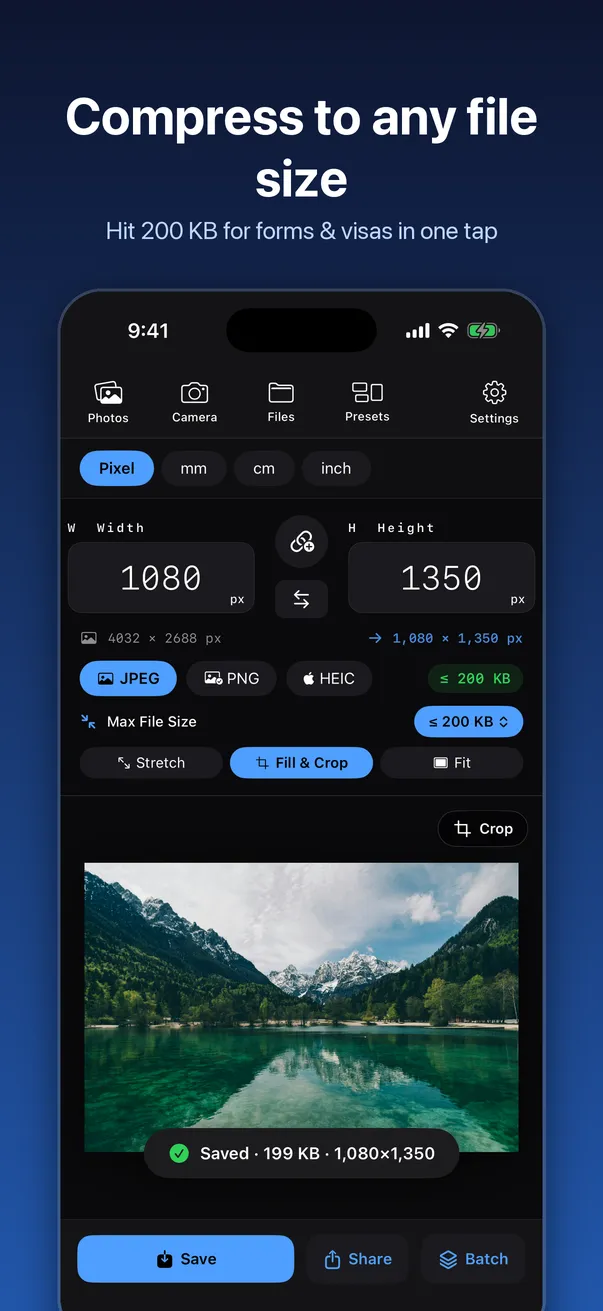
Made for the annoying uploads
The form that says "JPEG, under 200 KB". The visa site that wants 35×45 mm. The print shop that needs 300 DPI.
Under any file size
Set a maximum like 50 KB, 100 KB, 200 KB, 500 KB or 1 MB, or type your own.
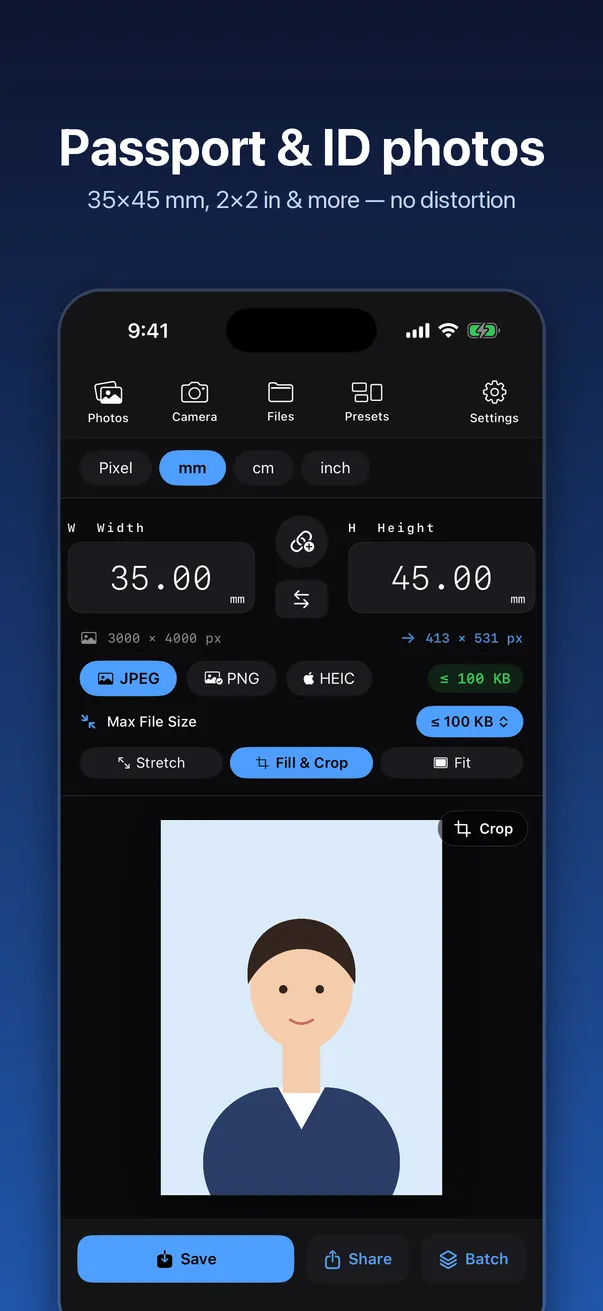
Passport and ID photos
US 2×2 in, UK, EU and Australia 35×45 mm, Canada 50×70 mm, Hong Kong 40×50 mm, Japanese résumé 30×40 mm and more.
The right physical size
Work in mm, cm or inches with your own DPI. The DPI is saved in the file, so prints come out the size you set.
Post-ready sizes
Instagram, Threads, TikTok, YouTube thumbnails, Facebook, X, LinkedIn and Pinterest.
What it does
Everything a resize needs, without menus inside menus.
Exact units
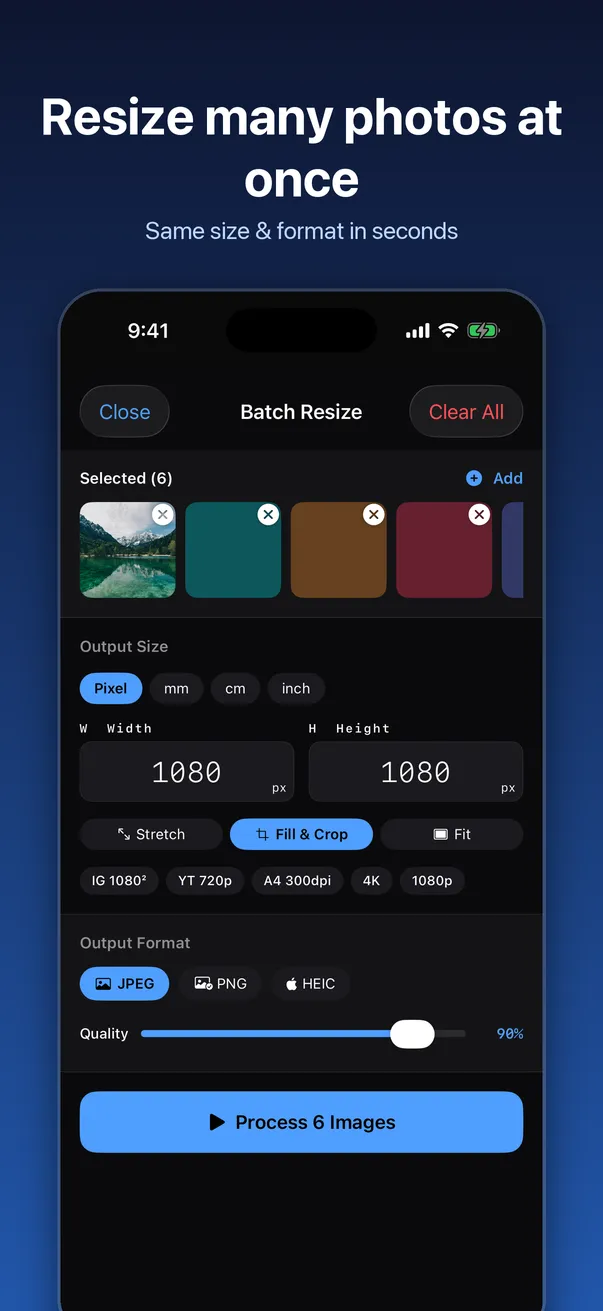
px, mm, cm and inch, with custom DPI from 72 to 300 and above.
Compress to a size
See the estimated file size before you save, and stay under the limit you set.
No stretched faces
Fill & Crop, or Fit with white borders, instead of squashing the photo.
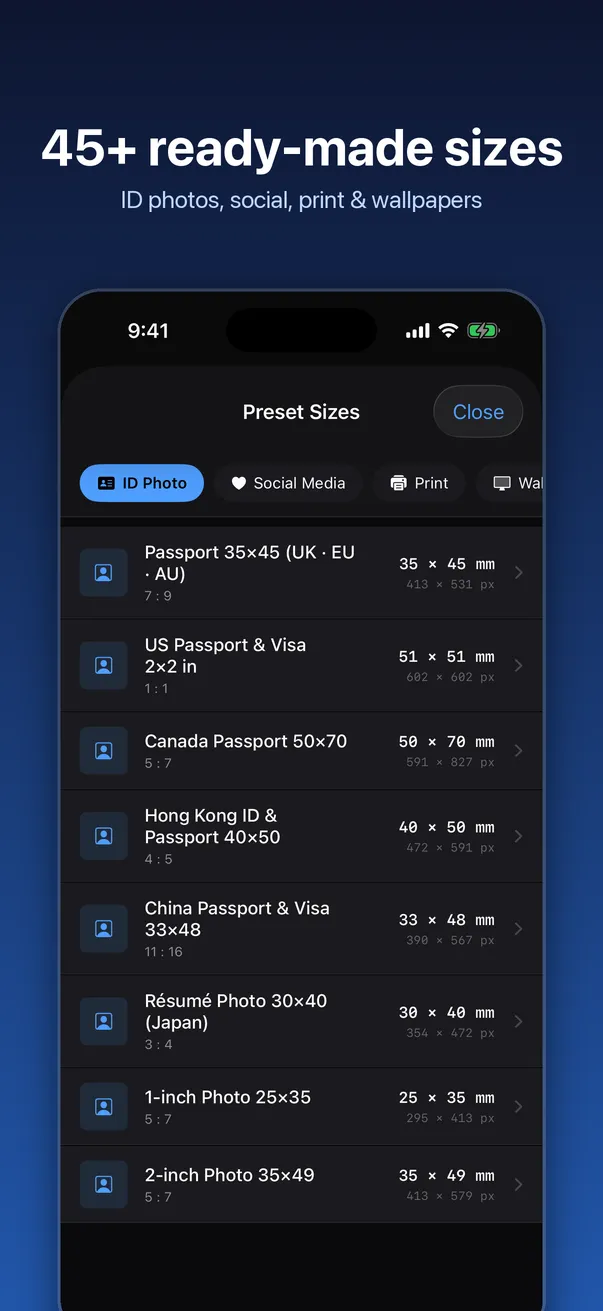
45+ presets
ID photos, social media, A3/A4/A5, US Letter, 4×6, 5×7 and 8×10 prints, wallpapers and icons.
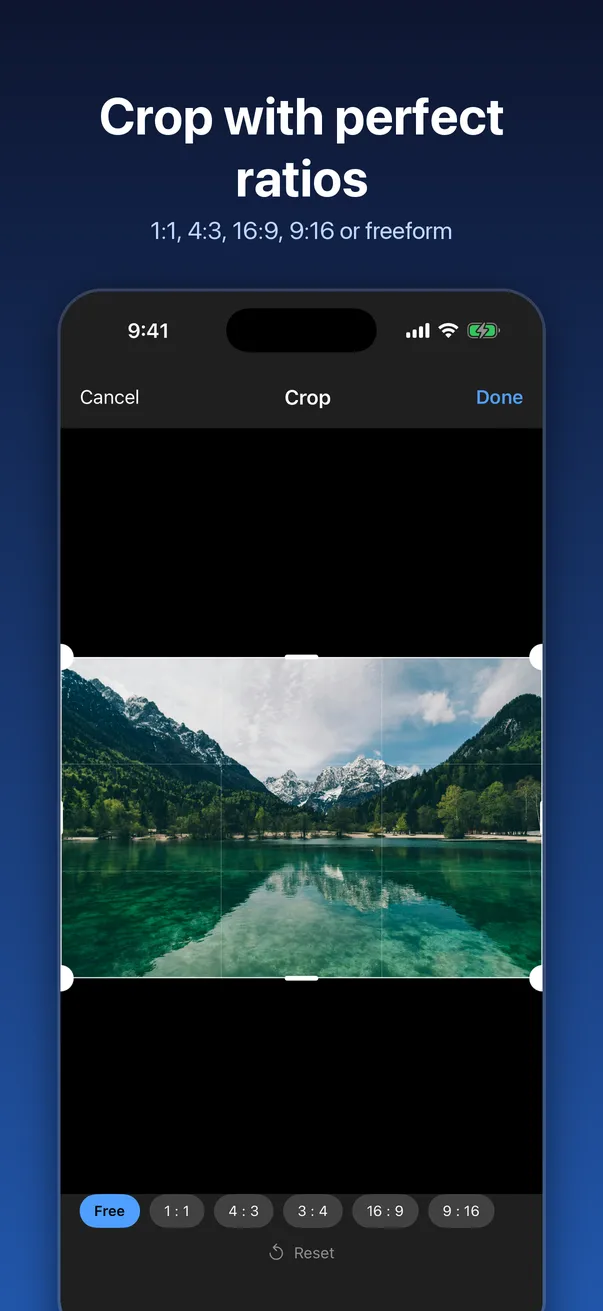
Crop and lock
Built-in cropper, aspect-ratio lock and one-tap width/height swap.
JPEG, PNG or HEIC
Choose the format and quality. Saving keeps the settings you picked.
A look inside
What stays on your device, and what doesn't
PreciseSize sits under Offgrid Tools rather than our Privacy Apps because the free version has ads. Here's exactly what that means.
Never uploaded
Resizing, cropping and compression all happen on your iPhone or iPad. No account, and no server of ours ever sees your photos.
Shows Google AdMob ads
Banner ads and an occasional full-screen ad. Google may collect device identifiers, usage and diagnostic data to show and measure ads. Personalised ads using the advertising identifier only happen if you allow tracking. Premium removes every ad. Read the privacy policy.
Pricing
Free to download. Pay once if you want it cleaner.
Every resize feature
Units, DPI, compress to size, ID photo sizes, presets, crop and export, with ads.
One-time purchase
Removes all ads and unlocks batch resizing for many photos at once. No subscription. Supports Family Sharing.
Languages
English, Traditional Chinese, Simplified Chinese, Japanese, Korean, French and German.
FAQ
Are my photos uploaded anywhere?
No. Resizing, cropping and compression happen on your iPhone or iPad. PreciseSize never uploads your photos.
Why does the free version have ads?
It keeps the app free. The ads come from Google AdMob, which may collect device identifiers and usage data to show and measure them. The advertising identifier is only used if you allow tracking, and you can change that any time in iOS Settings › Privacy & Security › Tracking. A one-time Premium purchase removes all ads.
How do I get a photo under 200 KB?
Choose JPEG, set Max File Size to 200 KB, and save. PreciseSize lowers the quality only as far as it needs to, and shows the estimated size before you save.
Will a 35×45 mm photo print at the right size?
Yes. Pick the size in millimetres and a DPI such as 300. PreciseSize writes the DPI into the file, so printers and print shops know the intended size. Always check your country's current photo rules too, such as background colour and head size.
Is it a subscription?
No. Premium is a single one-time purchase that removes ads and unlocks batch resizing.