
Guide · Security
Never Forward a WhatsApp Code: How Accounts Get Hijacked and How to Lock Yours
12 November 2026 · Nickel Choi
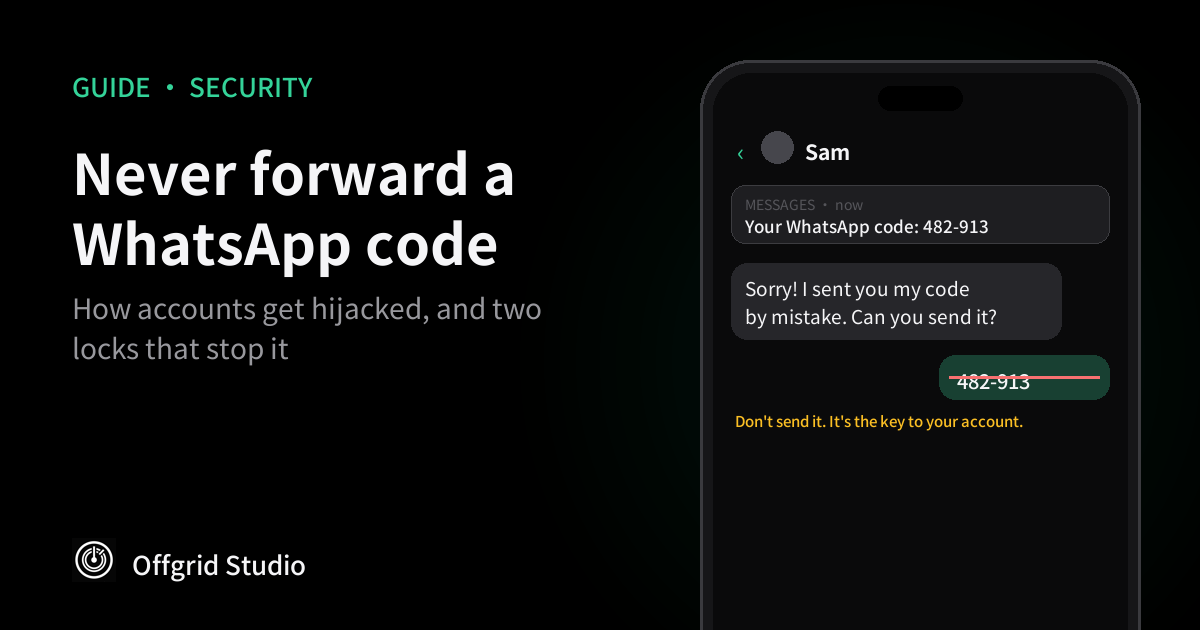
Short answer: the six-digit code WhatsApp texts you is the key to your account. Never forward it, even to a friend. Then add two locks that take five minutes: a two-step verification password and a passkey. If your account has already been taken, re-register your number straight away, because that logs the other person out.
How the "I sent you my code by mistake" scam works
UK police have been warning about this one for years, and Action Fraud described it clearly:
- A criminal takes over one WhatsApp account, perhaps a friend's or someone in a group you're in.
- Using that account, they start a normal-looking chat with you.
- At the same time, they try to register WhatsApp on their own phone using your number. WhatsApp sends you a six-digit code by text.
- Your "friend" says they sent you their code by accident and asks you to forward it.
- If you do, they log in as you and lock you out, then do the same to your contacts.
It works because the request comes from someone you trust, and the code really does arrive just as they said it would. West Mercia Police's March 2026 bulletin still lists it among the common WhatsApp frauds, next to the "Hi Mum" scam and fake "exclusive groups" that send a code to take over members' accounts.
Other ways in
- Fake support messages. In March 2026 the Dutch intelligence services AIVD and MIVD warned that Russian state-backed hackers were sending messages posing as support teams, claiming "suspicious activity" and asking for the code or PIN, Malwarebytes reported. The targets were officials and journalists, but the trick works on anyone.
- A QR code or link in a chat. The same campaign pushed people to scan a code or tap a link that quietly linked the attacker's computer to their account. A linked device can read new messages as they arrive.
- A stolen phone number. If someone takes over your number through a SIM swap, the code goes straight to them. We covered that in how to lock your phone number.
What a hijacker can and can't do
WhatsApp's own recovery guide says that because chats are end-to-end encrypted and stored on your phone, someone who registers your account on a new phone can't read your past conversations.
What they can do is pretend to be you. WhatsApp warns they could impersonate you in chats and groups, and in practice that means messaging your family for money or asking your friends for their codes. That's why the damage spreads so quickly.
Step 1: Turn on two-step verification, with a password
Two-step verification adds a password that's needed whenever your number is registered on a new phone. So even if someone gets your six-digit code, they still can't get in. In August 2026, Meta announced that WhatsApp is replacing the old six-digit PIN with a longer password that can include letters and symbols.
From WhatsApp's help page:
- iPhone: tap You, then Account, then Two-step verification.
- Android: tap the three dots, then Settings, then Account, then Two-step verification.
Turn it on, create a strong password you don't use anywhere else, and add an email address you can get into. Malwarebytes points out that the email is the way to reset the password if you forget it. If you already have the old PIN, WhatsApp says you can upgrade it to a password from the same screen. The upgrade is rolling out, so you may not see it yet.
Step 2: Add a passkey
A passkey lets you verify your account with Face ID, your fingerprint or your screen lock instead of a text code. WhatsApp's help page says that, unlike passwords and SMS codes, only you with your physical device can use it. Meta says more than a billion people have set one up, and you can now add one for each phone if you use both iPhone and Android.
- iPhone (iPhone 8 or later, iOS 16 or later): tap Settings or your profile tab, then Account, then Passkeys, then Continue.
- Android (Android 9 or later, with a screen lock and a password manager such as Google Password Manager): tap the three dots, then Settings, then Account, then Passkeys, then Create passkey, then Continue.
Step 3: Check your linked devices
A linked computer or tablet doesn't need your code again once it's connected. WhatsApp's linked devices page says to check them regularly in Settings under Linked devices, and to log out of any you don't recognise by tapping the device and then Log out. Keep notifications on for WhatsApp too, because it alerts you when a new device is linked. Unused linked devices are disconnected automatically after 30 days.
Step 4: Agree one rule with your family
The police advice is simple: if a friend or relative makes an unusual request on WhatsApp, call them on a number you already have before doing anything. It costs a minute and stops both the code scam and the "Hi Mum, I've lost my phone" scam. Settings protect your account. This rule protects the people who message you.
If your account has already been taken
- Re-register your number now. Open WhatsApp, tap Log back in, and enter the six-digit code WhatsApp sends you. WhatsApp says this logs out every device using your account. Changing your password won't do that.
- If it asks for a PIN you don't know, the hijacker may have set one. WhatsApp says to wait seven days and try again. The other person is still logged out once you enter the six-digit code.
- Warn your contacts. Use another app, a call or a post so they know not to send money or codes.
- Recover before you report. WhatsApp warns that reporting the compromised account could get it banned, and you could lose it.
- Then lock it down with Steps 1 to 3, and check your linked devices.
- If you lost money, call your bank first. In the UK, 159 reaches most banks, and you can report it to Report Fraud on 0300 123 2040, according to West Mercia Police's bulletin.
One thing to know: WhatsApp says you can't recover an account without a SIM card with the same phone number, which is one more reason to protect the number itself.
Frequently asked questions
Why did I get a WhatsApp code I didn't ask for?
Someone has entered your phone number while setting up WhatsApp on a phone. Don't share the code. Your account stays with you as long as the code stays with you, and turning on two-step verification adds a second lock.
A friend says they sent me their code by mistake. What should I do?
Don't send it. The code is yours, not theirs, and their account has probably already been taken over. Call your friend on a number you already have to warn them.
Can a hacker read my old WhatsApp messages?
Not by re-registering your number. WhatsApp says messages are stored on your device, so someone who registers your account on a new phone can't read your past chats. A device linked through a QR code is different, because it can see new messages until you log it out.
Will changing my password get a hacker out of my account?
No. WhatsApp says the only way to remove someone is to re-register your number with the six-digit code sent to your phone, which logs out every device using your account.
What if the hacker turned on two-step verification?
WhatsApp says that if you don't know the PIN, you should wait seven days and try again. Whether or not you know it, the other person is logged out as soon as you enter the six-digit code.
Is the old 6-digit PIN still safe?
It's better than nothing, but WhatsApp is replacing it with a longer password. If you already have a PIN, you can upgrade it in Two-step verification settings.
Should I report my hacked account to WhatsApp?
Recover it first. WhatsApp warns that reporting the compromised account could get it banned, and you could lose access to it.
How we checked this
The menu paths, recovery rules and passkey requirements come from WhatsApp's Help Center pages on two-step verification, passkeys, linked devices and recovering a compromised account, read in English on 12 November 2026. The password upgrade and passkey figures come from Meta's announcement of 25 August 2026. The scam description comes from Action Fraud's warning (2023, as republished by Staffordshire County Council) and West Mercia Police's March 2026 bulletin. The fake-support campaign comes from Malwarebytes, reporting the Dutch AIVD and MIVD warning.
We haven't tested these steps on a device for this guide, and WhatsApp changes its menus often. If a menu looks different, search for "two-step" or "passkey" in WhatsApp's settings.
More from Offgrid Studio
How to Lock Your Phone Number Against SIM Swap Fraud
Black Friday Fake Shops: 7 Checks Before You Pay
Got an Apple Spyware Warning? How to Check It's Real