
Music · Guide
Learn a Song in Time for Christmas: The Practice Method Most YouTube Lessons Skip
23 November 2026 · Nickel Choi
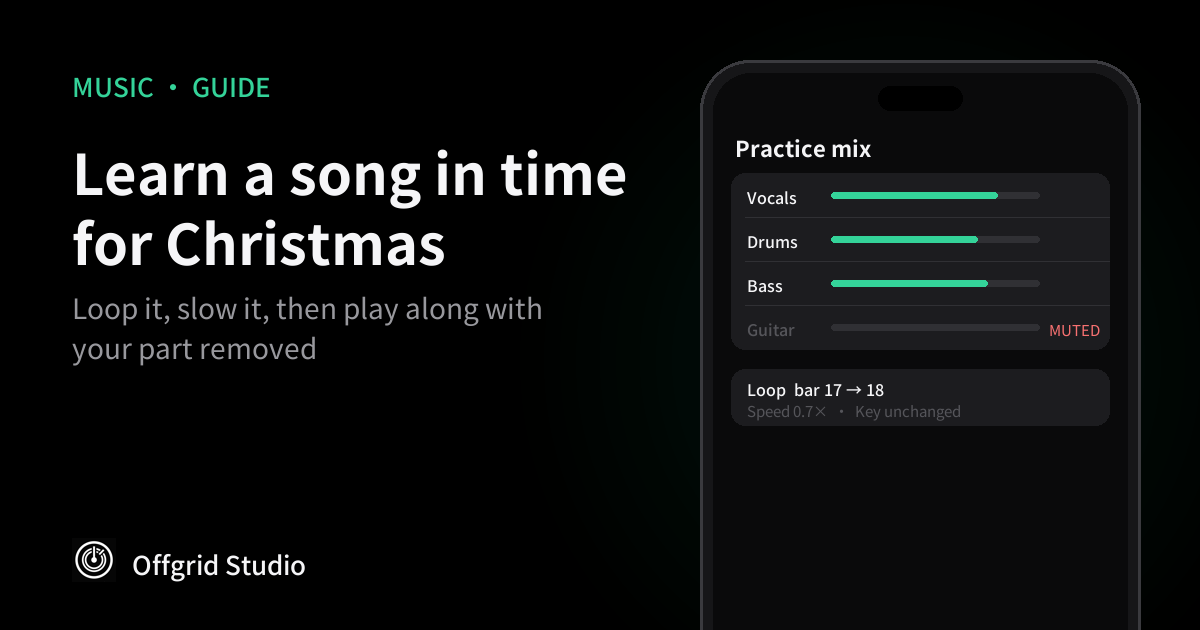
Short answer: pick one song, then practise it in three moves. Loop one bar at a time, slow it down without changing the key, and when it's under your fingers, play along with the real recording with your own part taken out. Four weeks is enough for most people to play one song for family at Christmas.
The tools most people never touch
Researchers at the University of Waterloo studied 28 YouTube lessons on learning music by ear. They found that very few creators or viewers used tools to loop playback or change its speed, even though those tools have existed for more than twenty years.
That matters because those two tools are exactly what teachers recommend. In Acoustic Guitar's 12 tips for learning songs from recordings, Jeffrey Pepper Rodgers puts it simply: "Break down a complicated song into bite-sized pieces." Loop one bar or one chord change, slowed down as much as you need.
If you've ever played a YouTube lesson from the start twenty times to catch one tricky bit, this is for you. I did exactly that for years.
A four-week plan
- Today: pick one song and write it down. Choose something your family knows, a little easier than you think you can manage. Committing to one song beats starting five.
- Week 1: map it. Listen through and split it into sections: intro, verse, chorus, bridge. Most songs repeat, so you may only have three or four parts to learn.
- Week 2: loop and slow. Take the hardest section first. Loop just one or two bars and slow it right down, even to half speed. Speed it up in small steps only when you can play it without stopping.
- Week 3: join the sections. Loop across the joins, where most mistakes happen: the last bar of the verse into the first bar of the chorus.
- Week 4: play along with your part removed. Play the whole song with the real band, minus your instrument. It's the closest thing to a rehearsal, and it tells you at once if you're rushing or dragging.
You can do weeks 1 to 3 free: YouTube's speed setting, under the gear icon, slows a video without changing its key. Dedicated apps such as Amazing Slow Downer, Transcribe! and Capo also loop and slow tracks.
How to do all of it on iPhone
I built OffgridStem as a tool for learning music, because I wanted all three moves in one place, on my phone, without uploading songs anywhere. It splits a track into six parts on your iPhone: vocals, drums, bass, piano, guitar and everything else. Hearing each part on its own teaches you how a song is built, not just how to play your bit. Then:
- Remove your part: mute guitar (or piano, or vocals) in the mixer and play along with the rest.
- Hear your part alone: solo it to work out exactly what's being played.
- Loop: tap Set A and Set B around the bar you're learning.
- Slow down without changing key: speed goes from 0.5× to 1.5×, and pitch moves separately, up or down six semitones, if you want to play it in an easier key or match a capo.
- Take it with you: export your practice mix, with your part removed, and play along on any speaker.
It works in Airplane Mode, and nothing is uploaded. You can try it free; Pro is a one-time purchase that removes the limits on looping and export length. No subscription.
Black Friday: 27 November to 1 December
OffgridStem Pro is normally £24.99. From 27 November to 1 December it's £16.99 in the UK (prices vary by country). On 2 December it goes back to £24.99. That's also four weeks before Christmas, exactly the plan above.
Your turn: what's helped you learn a song?
This plan is what worked for me and what teachers recommend, but everyone learns differently, and I'm still learning too. If you have a trick that helped you, maybe a way to remember a chord change or a song that's perfect for beginners, share it in a reply on our Threads or email [email protected].
I'll add the most useful tips to this guide, with your name if you'd like, so the next person learning a song for Christmas gets your help too.
Questions people ask
Do I need a special app to do this?
Not to start. YouTube can slow a video down without changing its key, and apps like Amazing Slow Downer, Transcribe! and Capo loop and slow tracks too. You need a stem splitter such as OffgridStem only for the last stage, playing along with your own part removed.
How slow should I go?
As slow as you need to hear every note clearly, even half speed. Speed it back up in small steps once you can play the section without stopping.
Does slowing a song down change the key?
Not in modern apps. Old tape machines dropped the pitch when slowed, but today's apps, including OffgridStem, change speed and pitch separately, so you learn the part in the right key.
Is OffgridStem free?
It's free to try. OffgridStem Pro is a one-time purchase that removes the limits on looping and export length. It's normally £24.99; from 27 November to 1 December it's £16.99 in the UK.
How we checked this
The YouTube lessons finding comes from the University of Waterloo (27 May 2025), about a study led by Christopher Liscio. The looping and slowing advice, the YouTube speed setting and the list of apps come from Acoustic Guitar (Jeffrey Pepper Rodgers, February 2022). OffgridStem's features and the Black Friday price are from our own app and App Store Connect, checked on 23 November 2026.
More from Offgrid Studio
How to Record Family Stories on iPhone This Christmas
How Stem Splitters Handle Your Audio
Clean Up Audio on iPhone