Guide · Privacy
The Links You Share Are Tracking You. How to Clean X, Instagram, TikTok, YouTube and Spotify Links
5 November 2026 · Nickel Choi
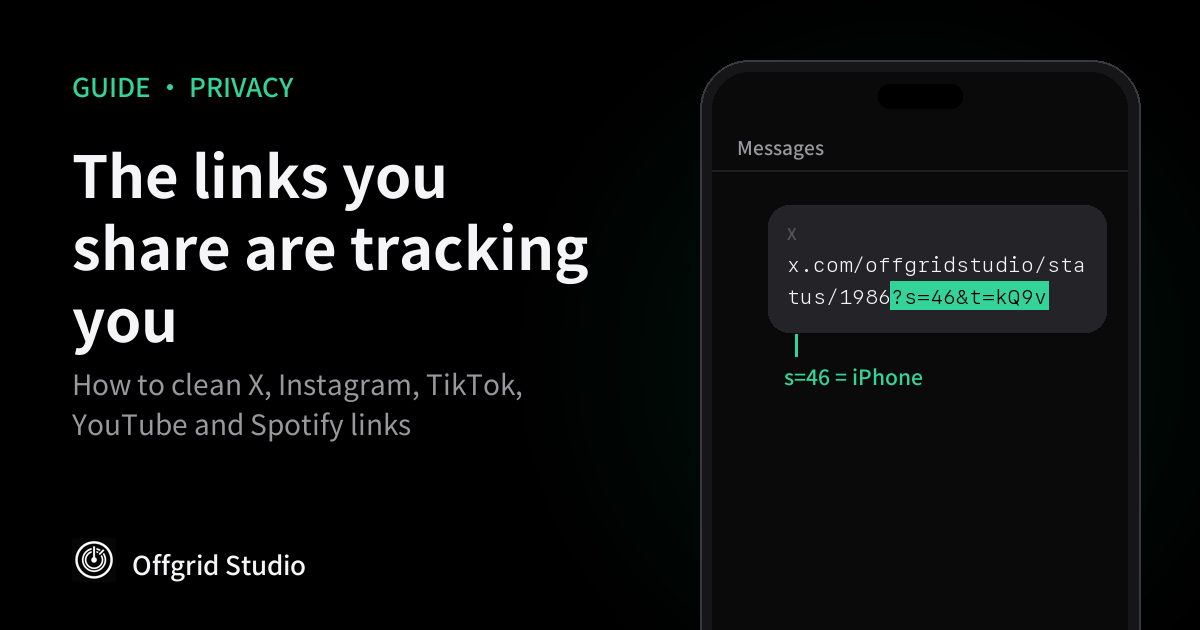
Short answer: when you tap Share in a social app, the link it copies usually ends with a code, like
s=46, igsh or si. Depending on the app, that code can reveal what device you used or let the
app connect the link back to you. For almost every app, deleting everything from the question mark
onwards removes it and the link still works.
This came up again this week when Techweez reported that X share links reveal whether you're on an iPhone or Android. That isn't new (people spotted it years ago, as one analysis points out), but most apps do something similar. Here's what each one adds, what's actually known about it, and how to clean links on any device.
The 5-second rule
- Paste the link where you're sending it.
- Find the first
?. - Delete it and everything after it.
- Exception: on YouTube
watch?v=links, keepv=and the video ID.
Example: youtube.com/watch?v=abc123&si=Xy9… becomes youtube.com/watch?v=abc123.
What each app adds
Most platforms don't document these codes, so what we know comes from their help pages where they exist, and from people testing links where they don't. We've said which is which.
?s=46&t=…Users found s=46 marks iPhone, s=19 Android and s=20 the web. t= is a share code that only X can decode.Clean it: delete everything from ?.?igsh=…Users report it lets recipients see who shared a Reel with them.Clean it: delete everything from ?.vm.tiktok.com/… or ?_t=…TikTok can suggest your account to people who open links you send (a setting you can turn off).Clean it: for short links, open the link first, copy the full address, then delete from ?.?si=…A share code. YouTube says people who open links you share can see your channel name by default.Clean it: delete si=…, but keep v=… on watch links.?si=…A share code. Spotify uses past sharing to suggest who to message.Clean it: delete everything from ?.fbclid=… or /share/…fbclid is a click ID for ad tracking; /share/ links carry an undocumented share code.Clean it: delete fbclid; open /share/ links first and copy the full address.What's documented, and what isn't
- YouTube. YouTube says that when you share, recipients can see your channel name and handle by default, and eligible people can reply to you on YouTube. You can turn this off in your YouTube privacy settings under channel visibility for shared links. YouTube doesn't say this is what
sidoes, but it's the obvious mechanism. - TikTok. As Wired reported in 2021, TikTok suggests your account to people who open links you send them, even if they open them outside TikTok. You can switch it off in TikTok's privacy settings under suggesting your account to others.
- Spotify. When Spotify launched Messages, it said it suggests contacts based on signals including past sharing. You can opt out in settings.
- Instagram. Instagram doesn't document
igsh. Users report recipients seeing "[username] shared a reel with you", and that removing the code stops it (TechIssuesToday). - X. X has never published what
s=andt=mean. The device values come from users testing links. Whethert=identifies the person who shared is disputed. - Facebook.
fbclidis documented by Meta: when you click a link on Facebook, the site you land on can store it for 90 days to attribute ads.
iPhone: let Safari strip some of it
Since iOS 17, Apple's Link Tracking Protection removes known tracking identifiers from links in Messages, Mail and Safari Private Browsing. To apply it to all your Safari browsing, go to Settings, Apps, Safari, Advanced, then set Advanced Tracking and Fingerprinting Protection to All Browsing. On a Mac it's in Safari, Settings, Advanced.
The catch: it only strips identifiers on Apple's list, which isn't published. WebKit says it targets
parameters used for cross-site tracking, so it catches ad click IDs like fbclid, but you shouldn't
rely on it for share codes like igsh or X's t=. Deleting from ? is still the reliable fix.
Desktop and Android
- Firefox: Right-click a link and choose Copy Clean Link. It uses a built-in list, so it can miss newer codes.
- Brave: Has a similar clean-copy option and strips known trackers by default.
- uBlock Origin: Turn on the URL Tracking Protection filter list.
- Android: There's no built-in cleaner in Chrome. Third-party "URL cleaner" apps exist; check what permissions they ask for before installing one.
Why it matters
On its own, a code saying "shared from an iPhone" is minor. The bigger issue is linking: a share code can let a platform connect the person who sent a link with everyone who opens it, then use that to suggest accounts, show "shared by" notices, or build a picture of who knows whom. If you share links with sources, clients or anyone you'd rather not be connected to publicly, clean them first. It costs five seconds.
It's the same idea behind how we build our apps: the safest data is the data that never leaves your device. If you want to see what an app itself sends, our guide to checking what an iPhone app sends walks through it.
Frequently asked questions
What does s=46 mean in an X link?
Users testing X share links found that s=46 appears on links shared from the iPhone app, s=19 from Android and s=20 from the web. X has never published an official list, so the values could change.
Does the t= code in X links identify who shared it?
It's disputed. Some reports say the t value is tied to the person who shared it; others say it doesn't identify an account on its own. Only X can decode it, so the safe choice is to remove it.
What is igsh in an Instagram link?
A code Instagram adds when you share a post or Reel. Instagram doesn't document it, but users report that recipients can see who shared a Reel with them, and that removing igsh stops that pop-up.
What is si in YouTube and Spotify links?
A share identifier added when you copy a link. YouTube says recipients of links you share can see your channel name by default, and Spotify uses past sharing to suggest contacts. Removing si doesn't break the link.
Does iPhone remove tracking from links automatically?
Partly. Apple's Link Tracking Protection removes known tracking identifiers from links in Messages, Mail and Safari Private Browsing, and in all Safari browsing if you turn that on. It only removes identifiers on Apple's list, so codes like igsh can still get through.
Is it safe to delete everything after the question mark?
For most social links, yes. The exception is YouTube watch links, where v= is the video itself: keep v=, delete si. For short links like vm.tiktok.com, open the link first and copy the full address.
More from Offgrid Studio
How to Check If an iPhone App Is Secretly Uploading Your Data
Are Your AI Chats Private? Three Ways They Aren't
What Is Your AI App Sending? Watching LLM Traffic